Why I finally switched to Linux (And why you should too)

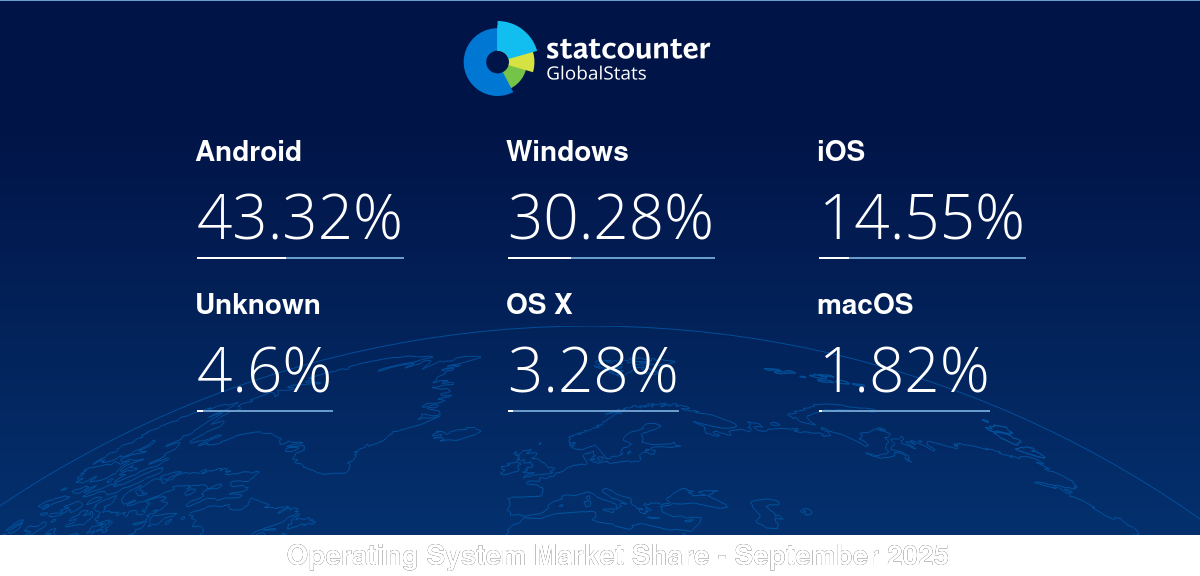
Technology companies have become increasingly infuriating in this past year. With the decommissioning of Windows 10 and the addition of unwanted AI features. Many perfectly functional systems still widely used will be pushed toward e-waste facilities. With the issues compounding, I finally decided to take the leap into a new operating system. And it changed the way that I see computers. This article will explore my journey, and challenges I found during my exploration of linux. I will explain common terms and help you get started in your Linux exploration.
Why did I decide to move to Linux?
I've been considering switching to Linux for some time. As a security professional it seemed like also a great way to get experience managing the Linux operating system that runs a majority of the internet. But we have all likely heard the challenges before. Being a completely open source and self-controllable solution it can be difficult for non-tech enthusiast users. However, I believe that the current state of Linux has provided a great many features to alleviate this worry.
Bullet list of reasons to switch:
- No forced online accounts, Local account is not tied to any cloud service
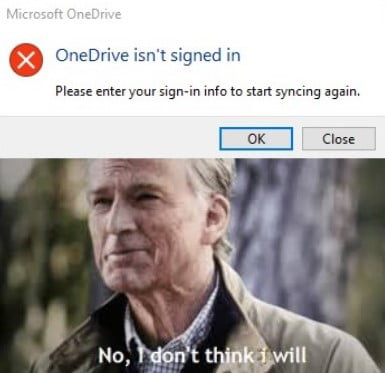
- No one drive being shoved in your face, Cloud syncing is optional not a requirement
- Great community with tons of knowledgeable experts
- Windows apps work on Linux! Recent innovations have made a vast majority of these applications work through instances like proton and wine.
- * testing applications for students, and games with anti-cheat are the only ones among the list that lack functionality.
- Customizable
- Don't like the desktop? You can change it! Customize your content to your hearts content.
- No built-in ads. I can't believe that this has to be written here.
- Learn a new skill
- Linux is highly used in the technology industry, This was one of my major reasons for making the switch. No better way to learn the platform then dive right into using it!
My Introductory Linux Experience
Taking a look at getting into the operating systems from an outsider
Selecting an operating system
Linux is separated into major "distributions" I'm sure you may have heard some of these mentioned throughout the time on the internet, from Ubuntu, Linux Mint, to Debian. There are so many choices for individuals wanting to get involved in the community. So the question is what to choose?
A vast majority of these distributions are all based on similar sources. For example, Linux Mint, and Ubuntu are all based on the the Debian operating system. Other notable systems include Red Hat Linux, and Arch Linux. Debian-based systems are the most common systems to start with due to their ease of use and great support.
Most of the time, the major differences between these distributions are the tools installed or used on the system, you might find distros specifically for gaming, for working, or even to act a small iot gadget. The two biggest apparent differences are:
- Package Manager - the method or commands used to install software
- Desktop Environment - How your desktop looks like
I have experience in using a wide variety of distributions, and would actually highly recommend the path of one of the recognized "introductory" distributions for those starting out:
- Linux Mint
- PopOS
- Bazzite (gaming!)
My journey through Linux
Now, lets talk about a few of these different operating systems, and take a bit of lessons from my journey in Linux:
Linux Mint
 Linux Mint
Home of the Linux Mint Distribution website
As my introduction into the Linux market, I installed Linux Mint on my laptop and was quickly off to the races in customizing it to my heart's content. It was one of the easiest plug and play solutions that I came across when I started with the limited Linux knowledge I had. While still allowing for granular control and customization that you never could see in the Windows operating system.
I highly recommend this operating system for those brand new to using Linux, it is an amazing system to use! I stayed with this system for many months and enjoyed it's ease of use. I only eventually switched when I decided to try other distributions to help my cyber learning.
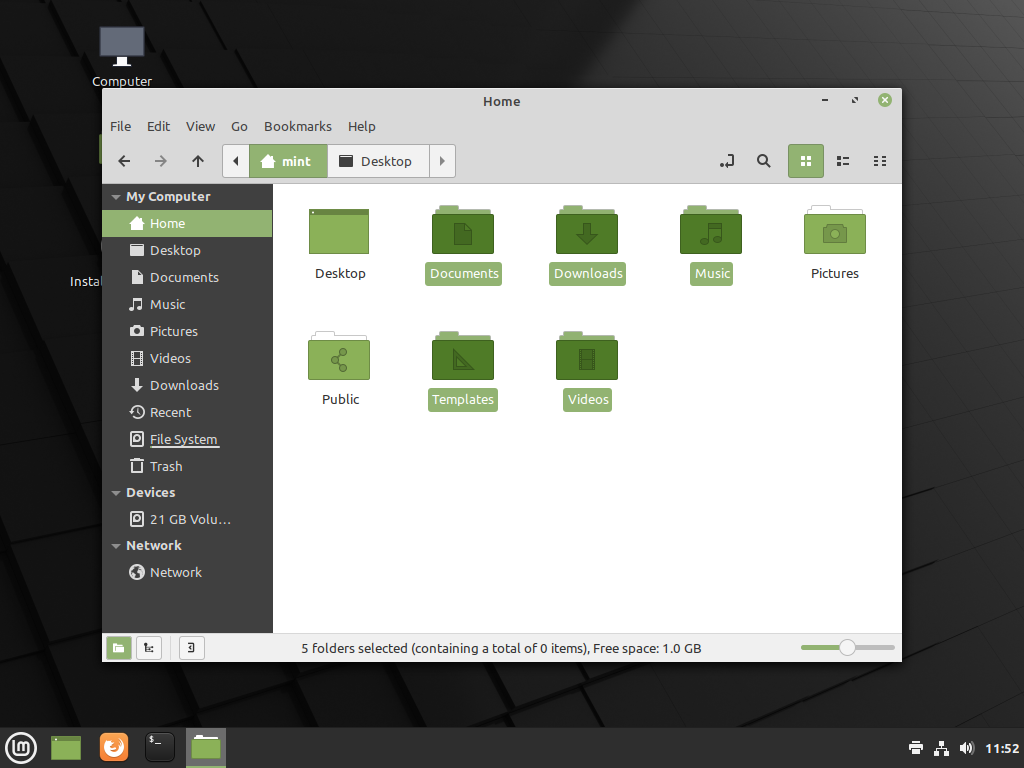
Linux mint uses the "Cinnamon" desktop environment, which is likely to be familiar to windows users due to the layout it undertakes, see below:
Gaming focused era - Nobora Linux (Fedora based)

With my success with using the Linux Mint operating system, and the last straw of windows strangely locking me out requiring me to login to their cloud to "recover my computer" I decided enough was enough. That night I took all my drives, backed them up and wiped my desktop computer.
At this point, I wanted two different systems, one kind of as a "work" system that would avoid gaming style areas and another as a "leisure" that contained all my gaming and other systems. So I started looking for operating systems that might match this area. I had also wanted to explore beyond Debian operating systems and see what else was on the market.
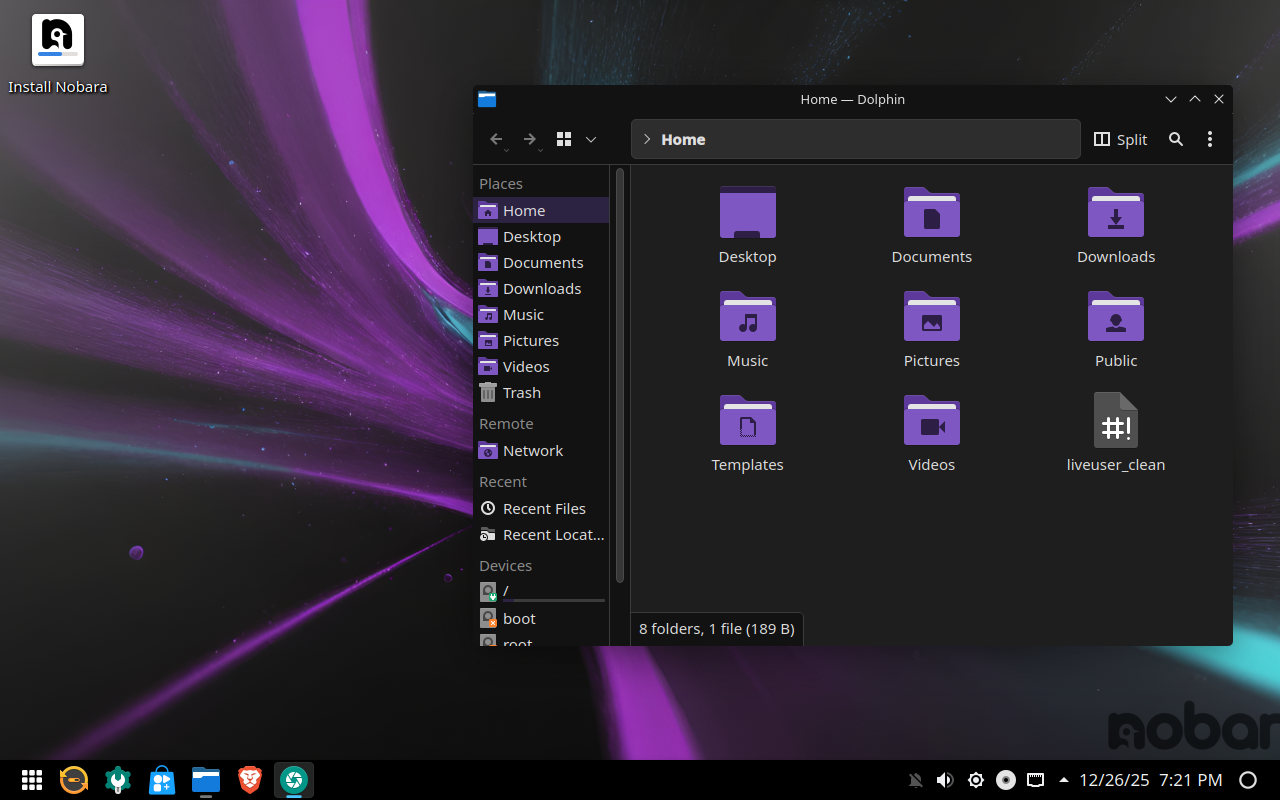
This made me land on Nobora Linux, a fedora based operating system that is fine tuned for gaming. With claims of having a "gaming tuned kernel" I was intrigued and wanted to give it some testing. From here, I decided that this would go on my largest drive and my second main operating system (you will hear more about it next) would be located on my smaller drive.
Endeavor OS (My Current Workhorse)


Around the same time I decided to wipe my desktop computer, I saw PewDiePie's Linux video. One detail in the video really stuck with me; The use of "Hyprland" a window manager. The fancy tool made window management simple and key bind focused which really appealed to me and sparked my curiosity. I could see myself taking great advantage of these workspaces and keybind-focused management to help simplify my work.
Before I knew it I was google searching "how to get Hyprland on Linux." Turns out I would have to venture even deeper into the rabbit hole of Linux to utilize this window manager however. All the way to Arch Linux. However, I thought it could be a pretty fun adventure, I decided at this point to wipe my laptop and shift it over to this new system and see what it had in store for me.
Here is the video from PewDiePie if you haven't seen it before, its a great exploration into why he switched to Linux!
The bad part was, most people who use Arch Linux, are famous for... well...

Arch is Infamous for people bragging about using it. Additionally, its also famous for being a very complicated and manual installation process. The solution to this however, was easy to find. EndeavorOS is an arch-based system that integrates a lot more user friendly tools and installation process to the mix. It felt really really similar to installing Linux Mint! With the included tools it makes it a really nice out of the box system for taking the next step with Linux!
Now for the window manager, Hyprland was easy to install with a simple command from the package manager: sudo pacman -S hyprland however, setting it up and managing it's config files are a different story. This configuration is done through a type of files usually referred to as dot files. We will talk about these in more detail in
What are Dot Files?
A common term when it comes to customizing Linux's desktop is an individual's dot files. Dot files are the configuration files that run a lot of what you can see on screen. The best example of the equivalent in windows is advanced settings in the settings menu. Dot files are typically a collective term used to describe all the configuration files that someone has created for an operating system.
When put together. A full configuration from these files would look like:
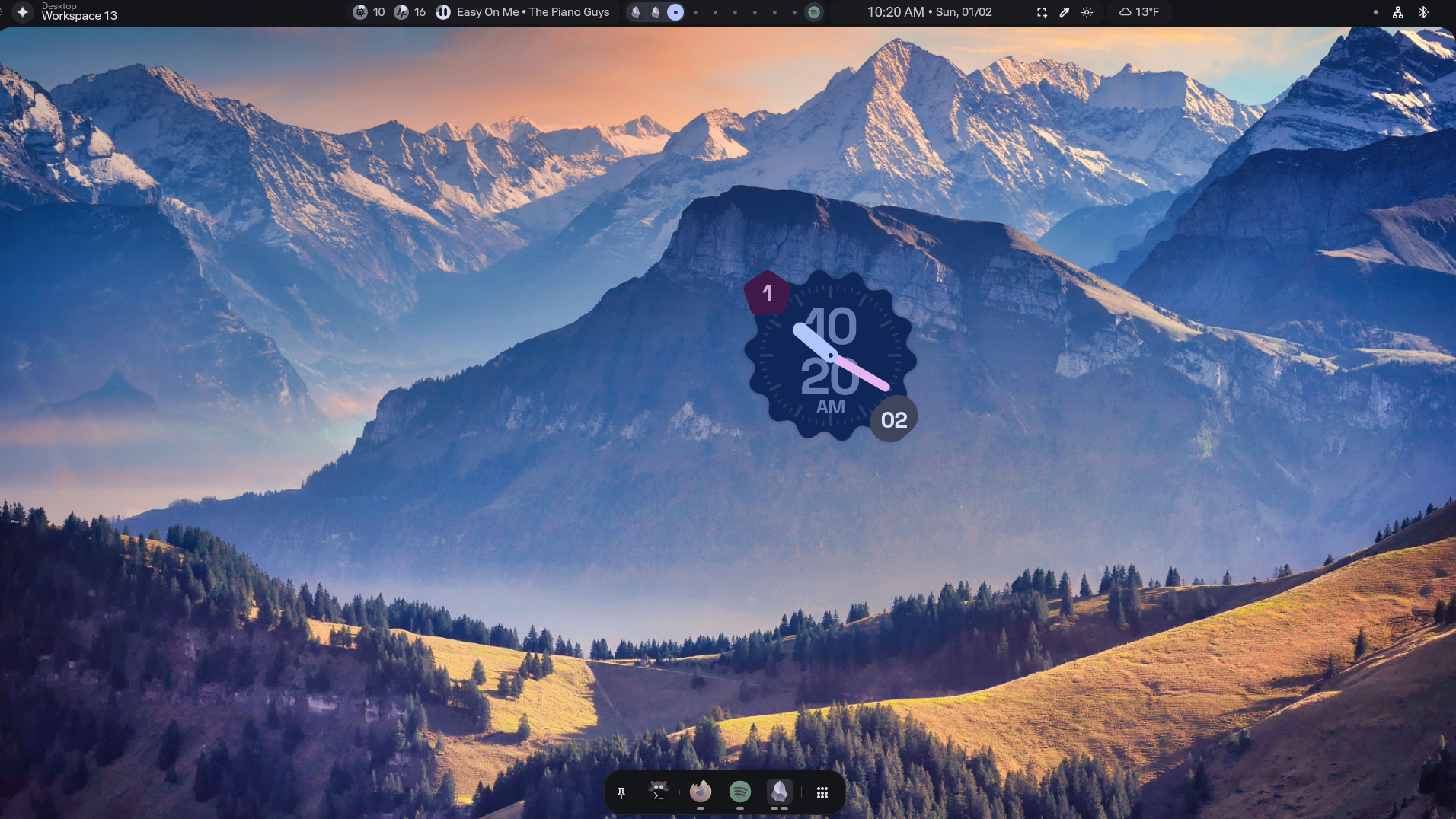
These configuration files can be easy to drag and drop and add your own improvements to the system, and are a great starting point for anyone wishing to supercharge a Linux experience.
Now, lets find some examples, search this on google (or preferred search engine): wayland dot files site:github.com
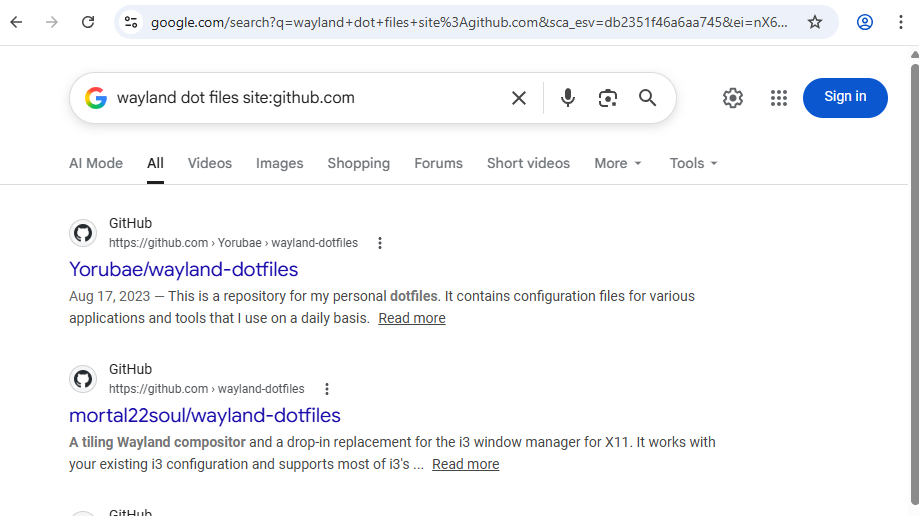
This google dork will help you search around and find good dot files. There are hundreds of configurations out there (just make sure you verify its not malicious!)
If you liked my screenshot above, I would recomend looking at these dot files, they are very nice:
 end-4
end-4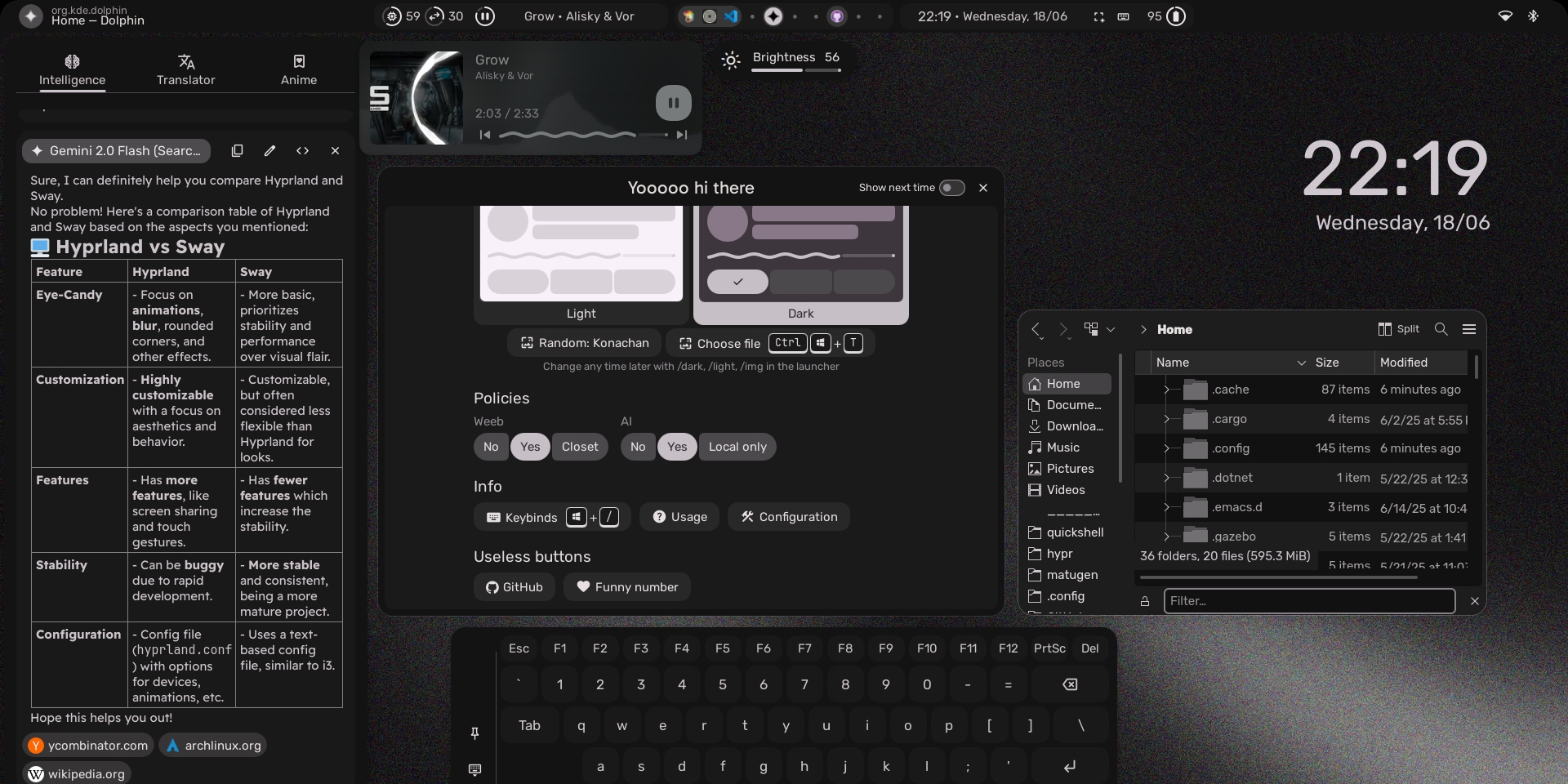
To wrap things up...
I appreciate you reading along to my journey through Linux that continues to this day. Moving away from windows was a significant move that I hope will continue to give me the benefits of using an open source distribution. As I can confirm, it is an effective replacement for all daily tasks and can even help you improve your workflow.
If you are enjoying this kind of content, be on the lookout for additional project soon regarding my learning points throughout my journey as a student, including large projects about the use of certifications in the cybersecurity market, cybersecurity project ideas to get hands on experience before a job, and more!
Sources: